Three rules and a table that does not lie
Each rule does one thing and runs in the order you choose. The table on the right recalculates every name as you type, against your real files.
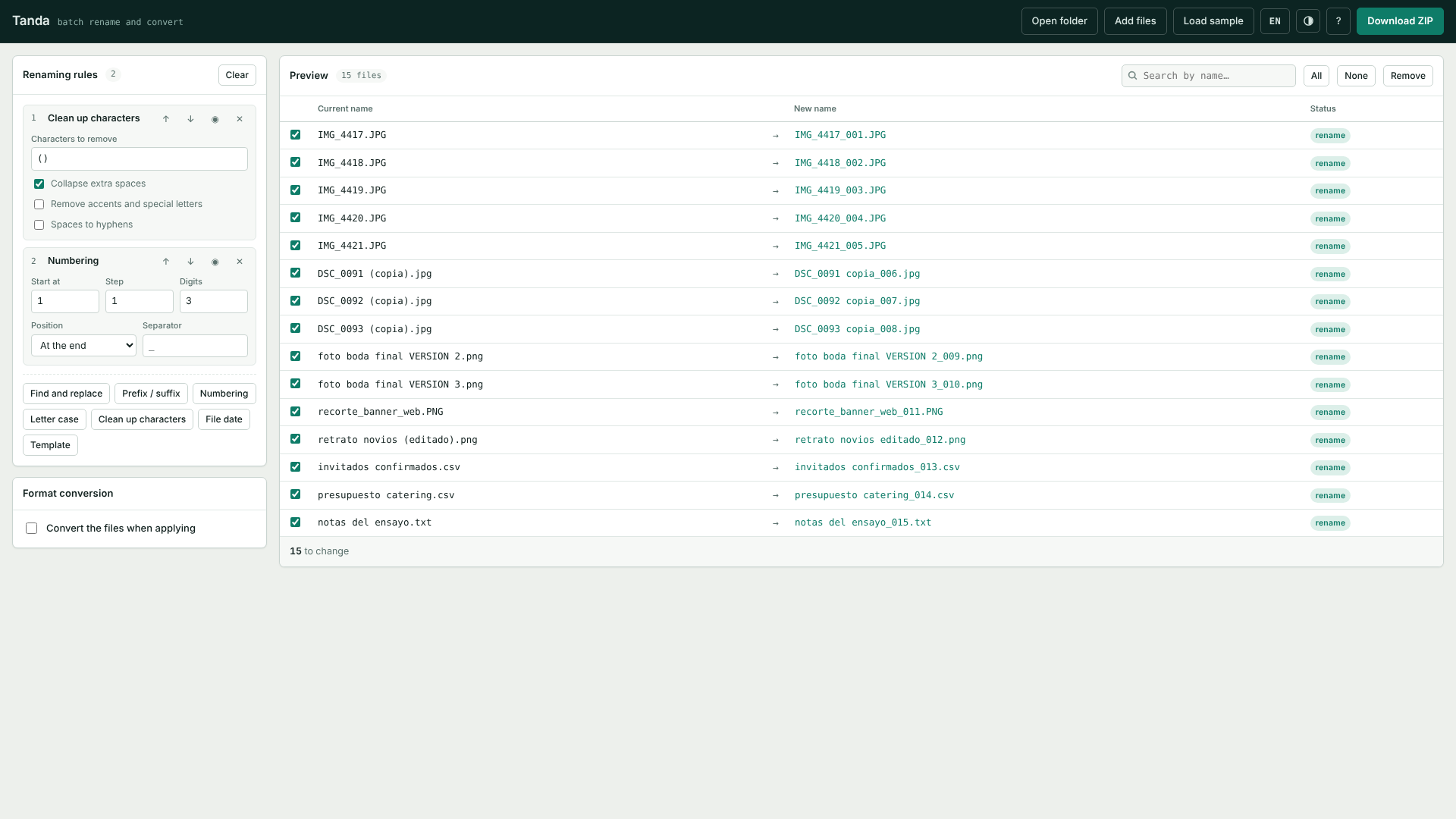
Stack the rules you need, see exactly how every name will end up, then apply. If something does not add up, Tanda tells you before, not after.
No account, nothing to install to try it. Your files never leave your machine.
Each rule does one thing and runs in the order you choose. The table on the right recalculates every name as you type, against your real files.
Find and replace with regular expressions, prefixes and suffixes, sequential numbering, letter case, cleaning up characters and accents, the file's own date, and full templates.
If two files would end up with the same name, or a name carries a character Windows refuses, the row turns red and the apply button locks.
One click brings the previous names back. No digging through the recycle bin, no restoring backups.
PNG, JPG, WebP and BMP between each other, with quality and max-width control. CSV, TSV, JSON, TXT and Markdown between each other, quoting and separators respected.
There are no servers to upload to and no libraries to download. It works offline from the very first launch.
The interface switches language with one button, and the character cleanup handles accents, ñ, ß, ø and the special letters of other languages.
The browser version is free and does the job. The Store one adds the desktop shortcut and unlimited batch sizes.
No. Tanda has no servers. Renaming and conversion run on your own processor, and the app keeps working with the wifi switched off.
Yes. In every browser you can open a whole folder, stack the rules and see the same preview. The difference is the output: Chrome, Edge, Brave and Opera rename the files inside their own folder; Firefox and Safari cannot do that yet, so Tanda hands the renamed batch back as a ZIP that keeps the subfolders.
The Store version imposes no limit; your machine's memory decides. Batches of several thousand files run fine on an ordinary laptop.
The table shows you the result before applying, so you normally catch it in time. If you apply something you did not mean to, the undo button restores the names from the last batch.